How to Link Docked to PROS?
You can link the game from several supported platforms to a PROS account using a QR code or a specific button in the game's main menu. After that, these platforms will be available via the PROS website, where you can manage and transfer your save files.
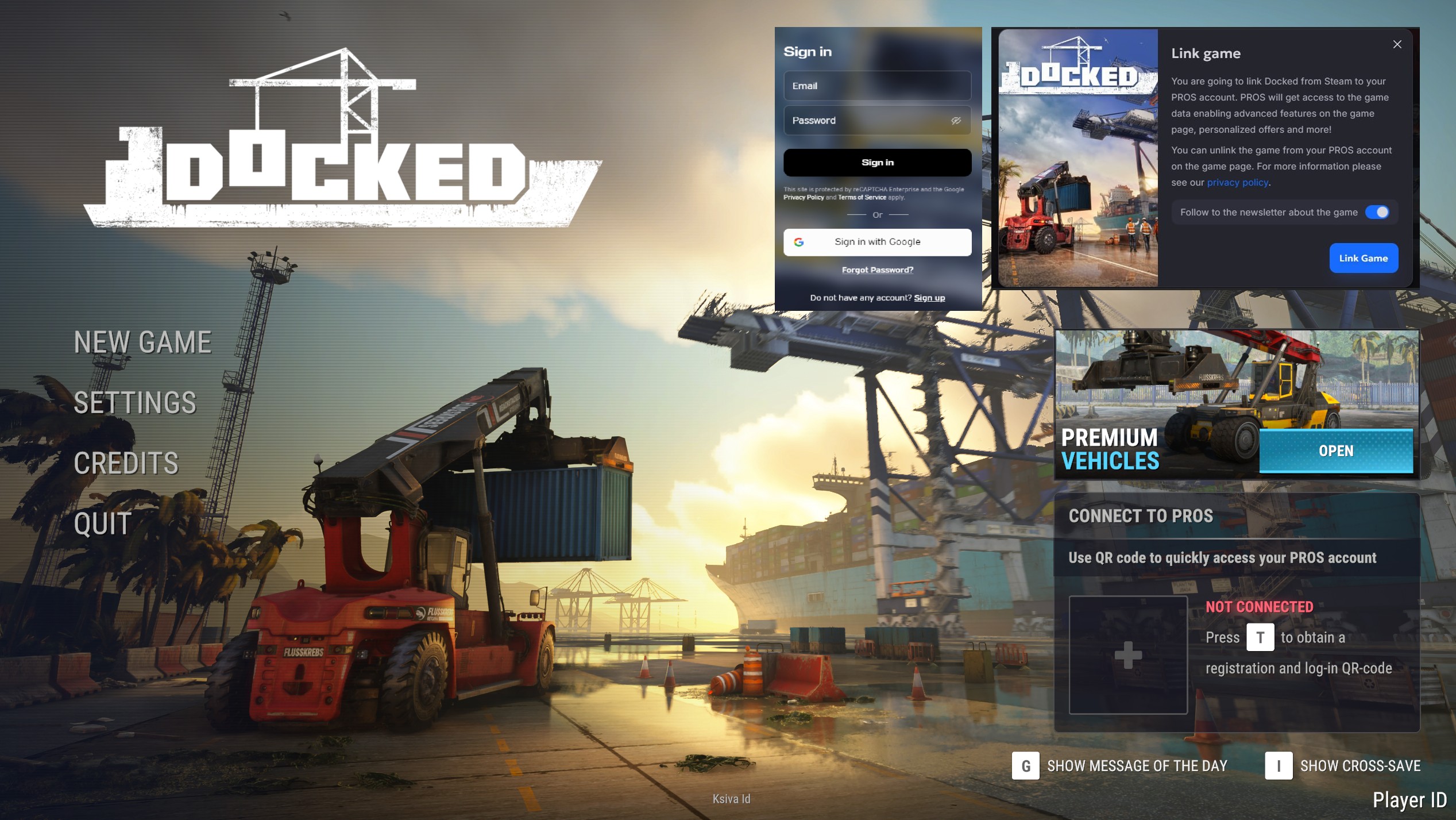
PC
Go into the main menu.
Press the T button to generate the QR code in the menu.
You can scan the QR code using your phone to link the title or press the T button once again to open the PROS website in your default browser.
After you log in to the system, you will be able to link the title.
Xbox
Go into the main menu.
Press the Y button to generate the QR code in the menu.
Use your phone to scan the QR code and open the link that will show up after the scan. It will redirect you to the PROS website, and you will be able to link the title.
PlayStation
Go into the main menu.
Press the Triangle button to generate the QR code in the menu.
Use your phone to scan the QR code and open the link that will show up after the scan. It will redirect you to the PROS website, and you will be able to link the title.