How to Get saber.games Rewards in Clive Barker’s Hellraiser: Revival
To help you face the horrors that await, players can unlock exclusive in-game cosmetic items by linking their game to a saber.games account. By connecting your account via saber.games, you will unlock two unique customization items for your arsenal: the "Configuration" weapon charm and the "Leviathan Mark I Skin" for your SMG.
This guide will walk you through exactly how to access and equip each of these exclusive rewards during your playthrough.
Before you can equip your items in-game, please first link your account → How to Link Clive Barker’s Hellraiser: Revival to saber.games account?
Configuration Weapon Charm
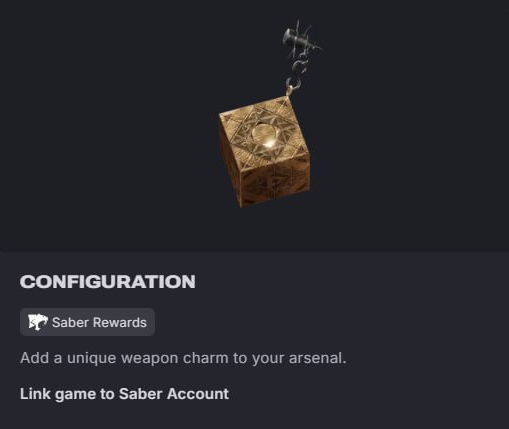
How to equip the Configuration charm:
Open your in-game player Inventory.
Highlight and select any ranged weapon currently in your possession.
Select the "Configuration" charm and apply it to your weapon.
Leviathan Mark I Skin (SMG Skin)
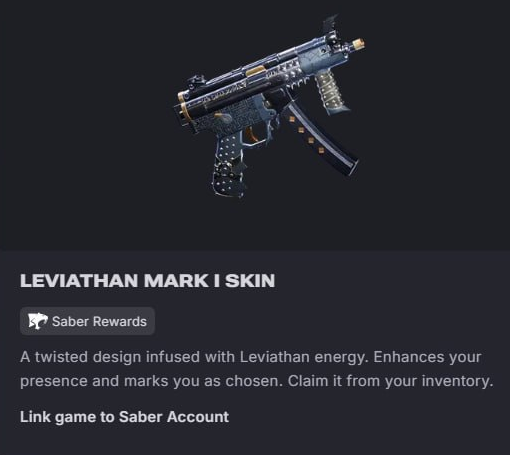
Please note: You will not be able to equip this skin immediately if you have just started a new game. The skin will only become available in your inventory after you discover the SMG in the game world.
How to equip the Leviathan Mark I Skin:
Progress through the Clive Barker’s Hellraiser: Revival until you locate and pick up the SMG.
Once the SMG is added to your arsenal, open your in-game Inventory.
Select the SMG from your weapons list.
Choose the "Leviathan Mark I Skin" to apply the new look to your weapon.
Still Not Getting Rewards?
If you have successfully linked your account at saber.games but do not see the "Configuration" charm or the "Leviathan Mark I Skin" in your inventory menus, please try restarting your game. If the issue persists, contact us for further assistance.